
How to Download Warzone on PC For Free in 2021
 Azaz Shaikh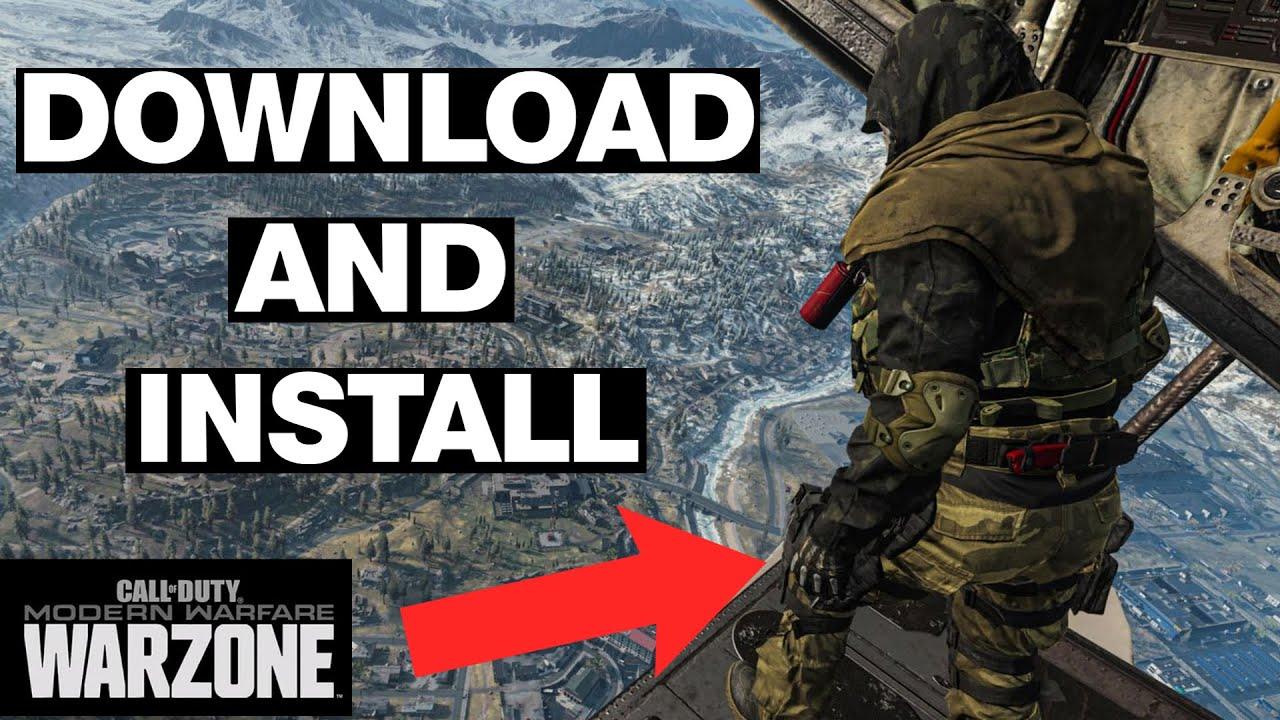
First of all, the warzone has two modes battle royale and plunder. Battle royale is mostly the blackout you remember but it now supports a hundred and fifty players. You can drop onto the map and solos, duos, trios, and squad scavenge for weapons and other gear and fight to be the last soldiers standing. But let’s say you get downed. The first you get eliminated you will be sent to a new location called the Gulag. So, if you love to play warzone then read this article if you want to download it. Without wasting any time let’s get has started. From this article, you will learn How to Download Warzone on PC For Free in 2021.
If you manage to beat another eliminated player in a 1 vs 1 shootout you’ll be able to redeploy. You will find cash across the battle royale map. this can be spent at buy stations which are marked on the map with a shopping cart. However, if you want to download this then it’s totally free. And this game is available on Windows, Android, and iPhone.
Download Warzone on PC
Step 1. At first, open your browser then type Blizzard when you search after that click on the first result.
Step 2. Once the website is open then click on the Games after that tap on the Battle.net App.
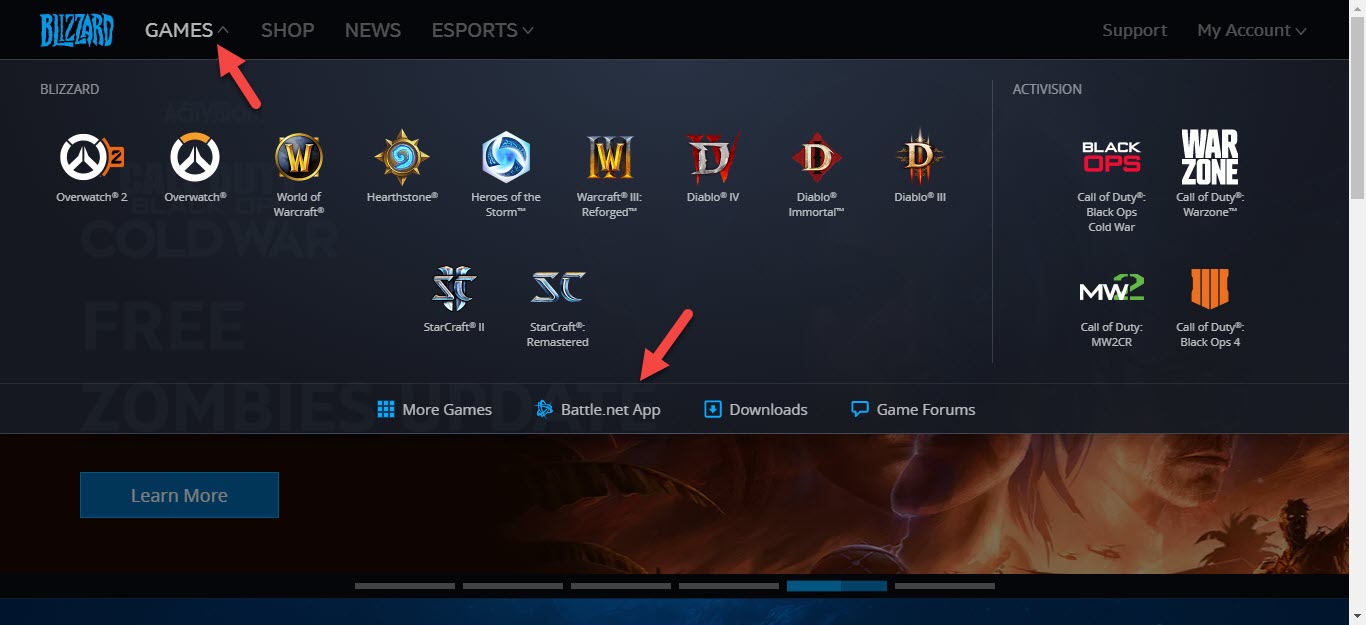 Click on the Games
 Step 3. Click on the Download For Windows.
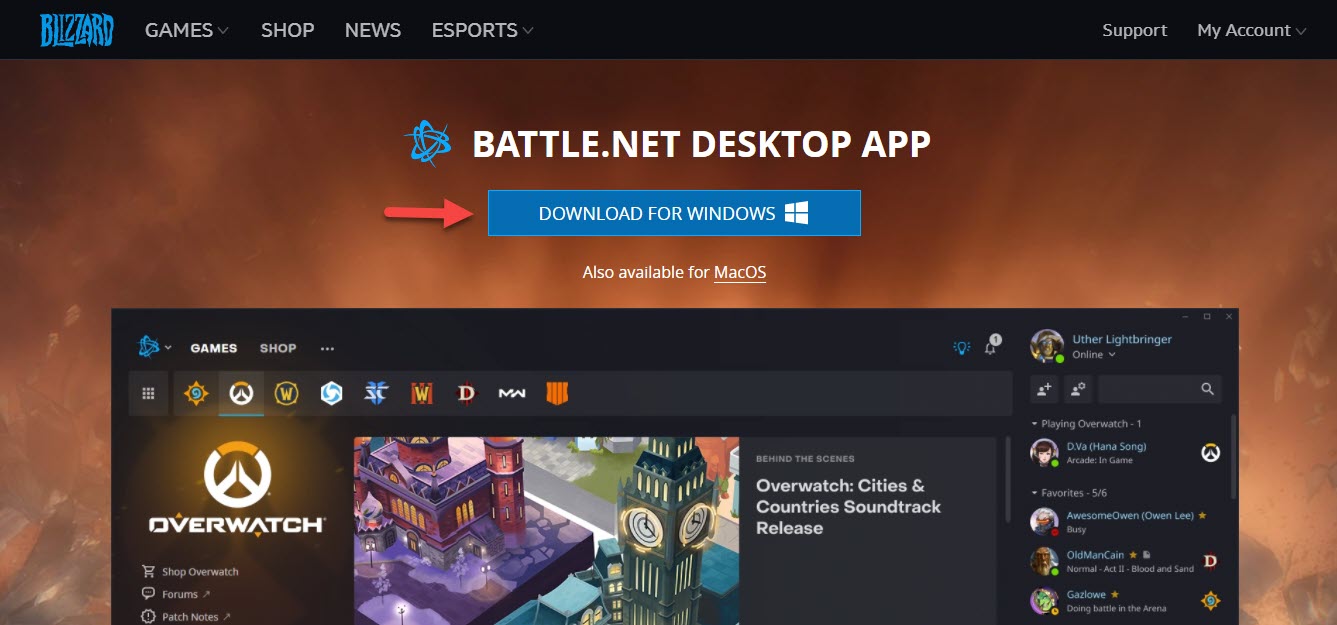 Click on the Download For Windows
 Step 4. For download click on the Start Download.
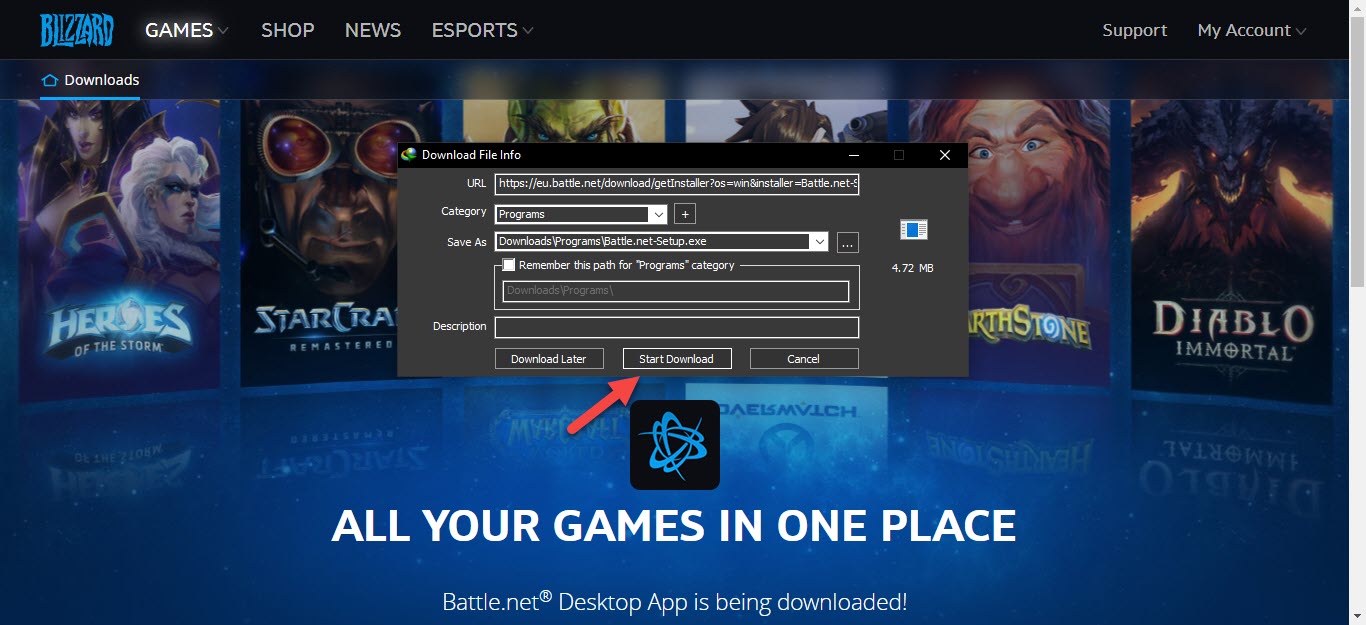 Click on the Start Download
 Step 5. Wait for download.
Step 6. Once the downloading is done then click on the Open.
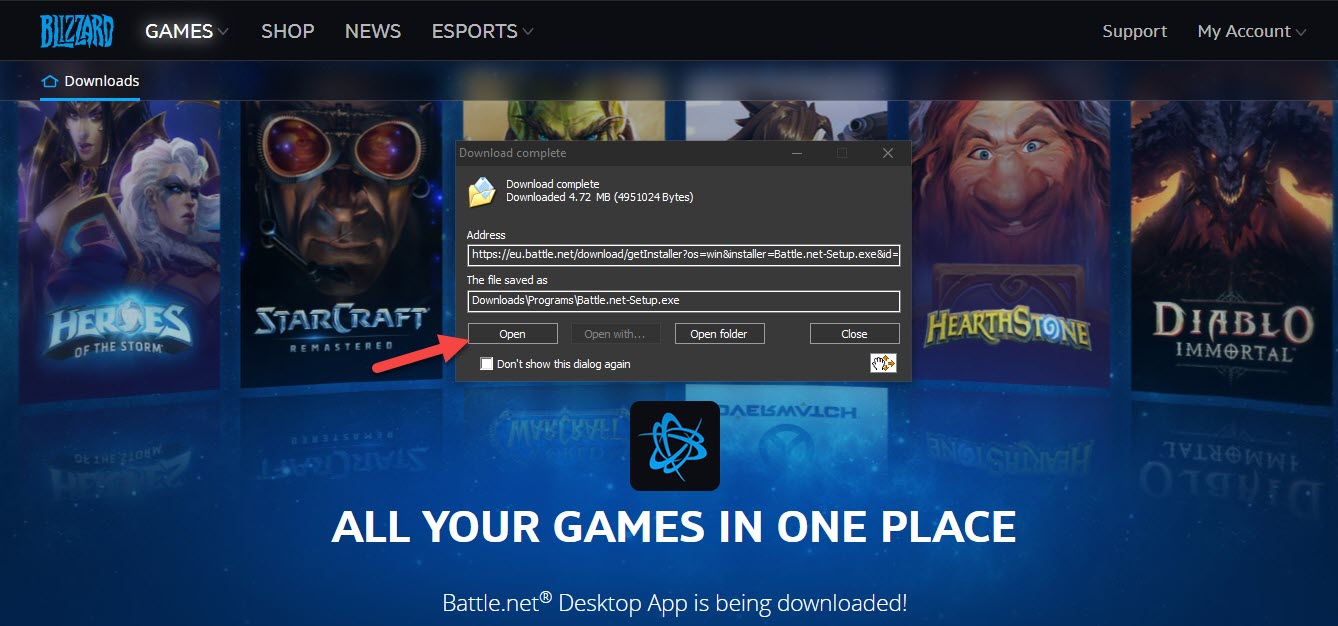 Click on the Open
 Step 7. When the app is open then you need to first choose the language. So, once you select the language then click on the Continue.
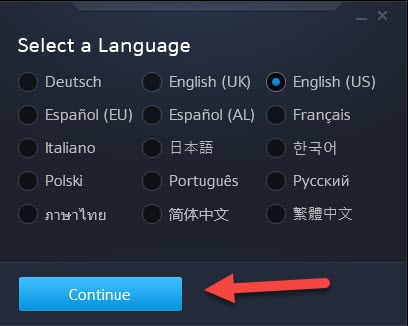 Click on the Continue
 Step 8. Wait for updating.
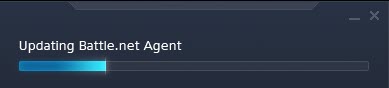 Wait For Updating
 Step 9. Tap on the Continue.
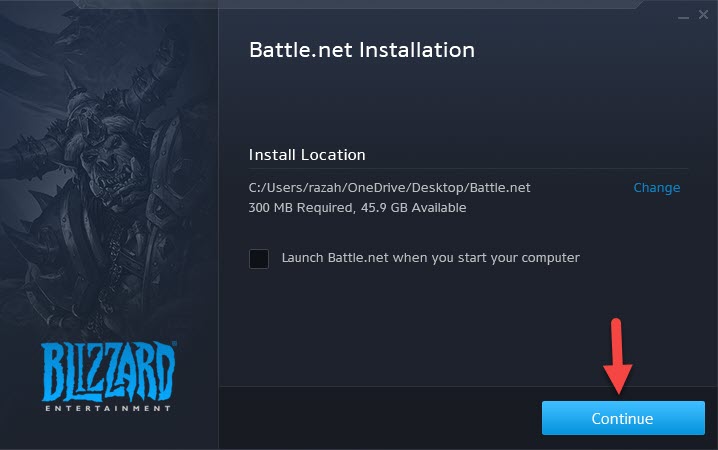 Tap on the Continue
 Step 10. However, wait for installing.
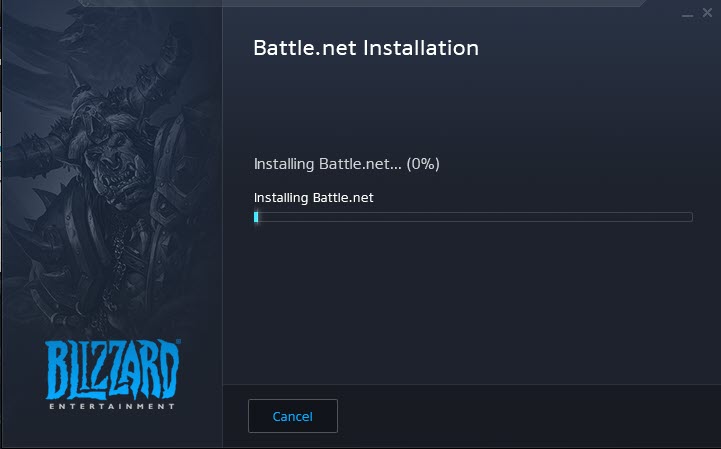 Wait For Installing
 Step 11. Sign in or login after that click on the Login.
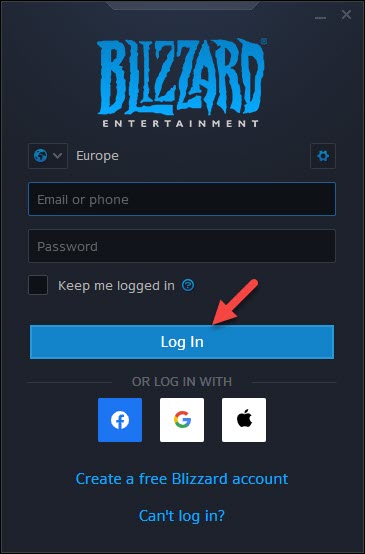 Click on the Login
 Step 12. When the blizzard is open then go to the Call of Duty: Warzone at the left side of the blizzard screen. Then click on the Play For Free.
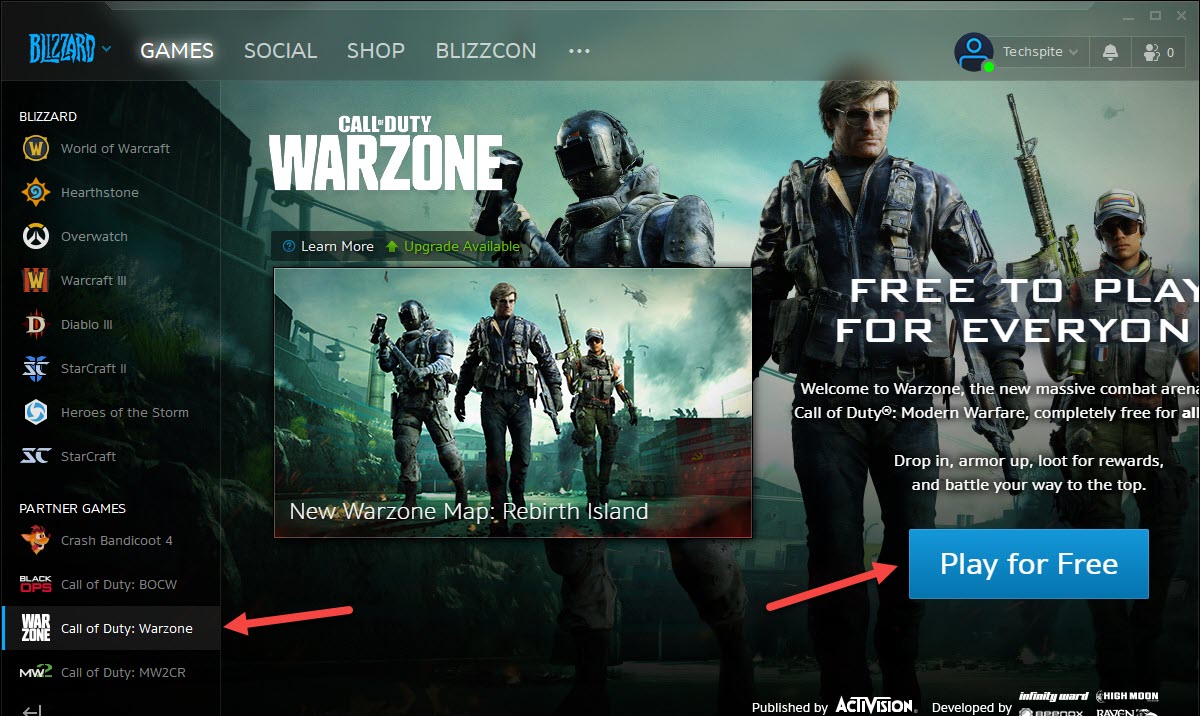 Click on the Play For Free
 Step 13. Click on the I Already Added a Phone Number.
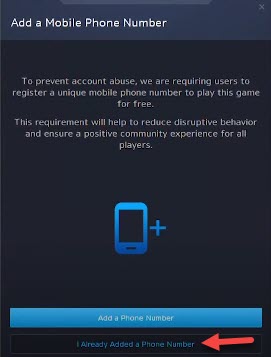 Click on the I Already Added a Phone Number
 Step 14. Select the folder that has lots of space to install the game just click on the Change Folder. Click on the Start Install.
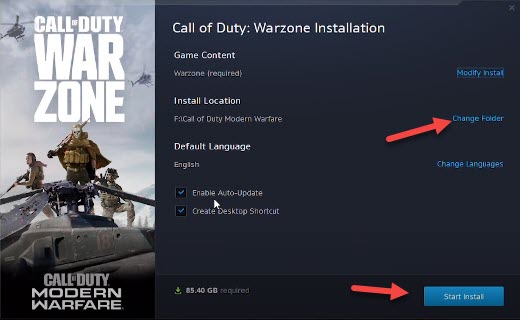 Click on the Start Install
 Step 15. Moreover, wait for the installing of the game.
Step 16. Further, when the installation is done then tap on the Play.
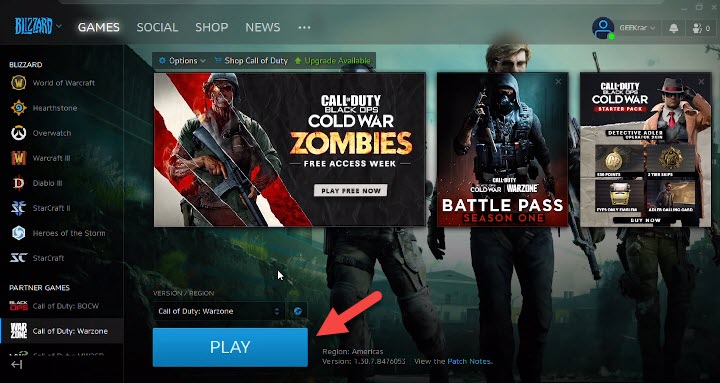 Tap on the Play
 Step 18. At last, click on the Continue after that enjoy the game.
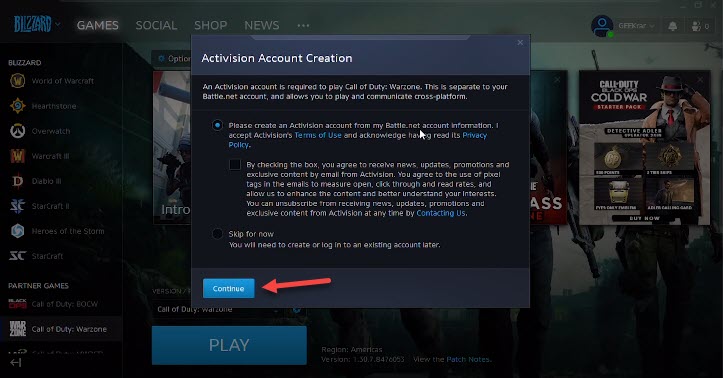 Click on the Continue
 Related Posts:
How to Increase your Internet Speed in Windows 10
How to Change Your Name on Facebook 2021
Bottom Line
It was all about How to Download Warzone on PC For Free in 2021. This game is a very great game if you want to download that you need to read this article. I hope after reading this article you will get something about the Warzone. If you are facing any kind of problem then don’t hesitate to leave comments in the comment section down below.
Share This Article
First of all, the warzone has two modes battle royale and plunder. Battle royale is mostly the blackout you remember but it now supports a hundred and fifty players. You can drop onto the map and solos, duos, trios, and squad scavenge for weapons and other gear and fight to be the last soldiers standing. But let’s say you get downed. The first you get eliminated you will be sent to a new location called the Gulag. So, if you love to play warzone then read this article if you want to download it. Without wasting any time let’s get has started. From this article, you will learn How to Download Warzone on PC For Free in 2021.
If you manage to beat another eliminated player in a 1 vs 1 shootout you’ll be able to redeploy. You will find cash across the battle royale map. this can be spent at buy stations which are marked on the map with a shopping cart. However, if you want to download this then it’s totally free. And this game is available on Windows, Android, and iPhone.
Download Warzone on PC
Step 1. At first, open your browser then type Blizzard when you search after that click on the first result.
Step 2. Once the website is open then click on the Games after that tap on the Battle.net App.
Click on the Games Step 3. Click on the Download For Windows.
Click on the Download For Windows Step 4. For download click on the Start Download.
Click on the Start Download Step 5. Wait for download.
Step 6. Once the downloading is done then click on the Open.
Click on the Open Step 7. When the app is open then you need to first choose the language. So, once you select the language then click on the Continue.
Click on the Continue Step 8. Wait for updating.
Wait For Updating Step 9. Tap on the Continue.
Tap on the Continue Step 10. However, wait for installing.
Wait For Installing Step 11. Sign in or login after that click on the Login.
Click on the Login Step 12. When the blizzard is open then go to the Call of Duty: Warzone at the left side of the blizzard screen. Then click on the Play For Free.
Click on the Play For Free Step 13. Click on the I Already Added a Phone Number.
Click on the I Already Added a Phone Number Step 14. Select the folder that has lots of space to install the game just click on the Change Folder. Click on the Start Install.
Click on the Start Install Step 15. Moreover, wait for the installing of the game.
Step 16. Further, when the installation is done then tap on the Play.
Tap on the Play Step 18. At last, click on the Continue after that enjoy the game.
Click on the Continue Related Posts:
How to Increase your Internet Speed in Windows 10
How to Change Your Name on Facebook 2021
Bottom Line
It was all about How to Download Warzone on PC For Free in 2021. This game is a very great game if you want to download that you need to read this article. I hope after reading this article you will get something about the Warzone. If you are facing any kind of problem then don’t hesitate to leave comments in the comment section down below.